
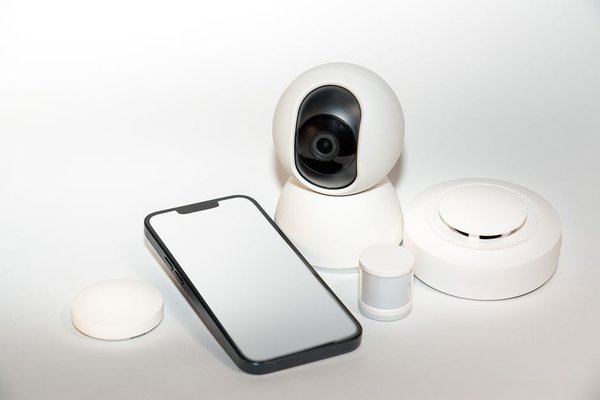
Baby gear trends come and go, but 2026 has a clear winner: the smart baby monitor. Walk into any nursery-planning conversation right now and you’ll hear the same debate—Nanit or Owlet? Video-only or wearable? Is a $300 monitor really worth it when your parents raised three kids with a $20 static-noise box? We get it. So we pulled apart the top models on the market and compared them where it actually matters: video quality, sleep tracking accuracy, price, and privacy. No fluff, no affiliate hype—just what first-time parents actually need to know before they buy.
Why Smart Baby Monitors Are Everywhere in 2026
A decade ago, a baby monitor was just a walkie-talkie with a camera bolted on. Today’s smart baby monitor is closer to a mini health tracker for your nursery. Most now combine a wifi baby monitor connection with app-based alerts, so you’re not stuck within range of a bulky parent unit—you can check in from the kitchen, the office, or a hotel room if grandma’s babysitting. The bigger shift, though, is the rise of the sleep tracking monitor, which uses either computer vision or wearable sensors to estimate how well your baby is actually sleeping, not just whether they’re crying.
That’s the real reason this category has exploded. Parents aren’t just buying peace of mind anymore—they’re buying data they can use to fix sleep problems before they become a 2 a.m. crisis every night.
Video Quality: What Actually Matters
Every video baby monitor on the market claims “HD” or “crystal clear” footage, but the differences show up in three places: low-light performance, field of view, and app lag.
Low-Light and Night Vision
This is where a lot of budget monitors fall apart. Cheaper models often produce grainy, high-contrast night footage that makes it hard to tell if your baby is peacefully asleep or mid-cry. The better monitors use adaptive infrared that adjusts brightness automatically, so you’re not squinting at a washed-out screen at 3 a.m.
Field of View and Crib Coverage
A wide-angle lens matters more once your baby starts rolling and eventually standing in the crib. A narrow field of view means you’ll lose them out of frame right when movement monitoring matters most.
Nanit vs Owlet: The Real Comparison
These two names come up in almost every parenting forum thread, and for good reason—they represent two different philosophies for baby monitoring.
Nanit: Vision-Based Sleep Tracking
Nanit relies on an overhead camera and computer vision to track sleep patterns, breathing motion, and room conditions like temperature and humidity. There’s no wearable involved, which some parents prefer since it means nothing touching the baby directly. The trade-off is that accuracy depends on camera angle and mounting—if the crib gets moved or blankets bunch up, tracking can get less reliable.
Owlet: Wearable-Based Monitoring
Owlet takes the opposite approach with a sock or band that measures heart rate and oxygen levels directly on the baby. This gives more direct physiological data rather than inferred movement, which appeals to parents who want vitals-level monitoring, especially in the early months. The downside is some babies resist wearing anything on their foot overnight, and battery charging becomes another task on the nightly checklist.
Neither is objectively “better.” If you want passive, hands-off tracking with strong video quality, Nanit tends to win. If you want direct vitals monitoring and don’t mind a wearable, Owlet is the stronger fit—particularly for parents managing a health concern flagged by their pediatrician.
Sleep Tracking: How Useful Is It, Really?
Sleep tracking monitors generate charts, sleep scores, and nap summaries that look impressive in an app. The honest answer is that they’re most useful for spotting patterns over weeks, not for making minute-by-minute decisions. If your baby’s sleep score dips consistently around the same time each week, that’s a useful signal—maybe it’s a growth spurt, teething, or a schedule shift worth adjusting. But no monitor replaces basic sleep training principles or a pediatrician’s advice, and treating the data as gospel can create more anxiety than it solves.
Price: What You’re Actually Paying For
Smart monitors range widely, and price often tracks directly with how much AI-driven analysis is bundled in versus how much is locked behind a subscription.
Upfront Hardware Cost
Basic wifi baby monitors with app viewing but no sleep analytics tend to sit in the more affordable range. Once you add sleep tracking, breathing monitoring, or vitals sensors, hardware pricing climbs noticeably.
Subscription Fees
This is the part many first-time parents overlook. Several premium monitors, including some Nanit tiers, gate advanced sleep insights behind a monthly or annual subscription. Before buying, check whether the “smart” features you actually want work on the free tier or require ongoing payment—that changes the real cost significantly over a year or two.
Privacy: The Question Most Parents Forget to Ask
A wifi baby monitor is, at its core, an internet-connected camera pointed at your child around the clock. That convenience comes with responsibility. Look for monitors with end-to-end encryption, clear data retention policies, and two-factor authentication on the account. Avoid models with a history of security vulnerabilities or vague privacy policies about where footage is stored and who can access it. It’s worth spending five extra minutes reading the privacy page before you mount anything above the crib.
So, Which One Is Worth It?
If you want the simplest possible answer: choose a video baby monitor with solid night vision and app reliability if your main goal is basic peace of mind. Choose a sleep tracking monitor like Nanit if you want data-driven insights into sleep patterns without a wearable. Choose Owlet-style wearables if direct vitals monitoring matters more to you than passive video, especially in the newborn stage. There’s no universal winner—only the right fit for how anxious, data-driven, or hands-off you want your monitoring experience to be.
Frequently Asked Questions
Is a smart baby monitor worth the extra cost over a basic one?
For most parents, yes, if you’ll actually use the sleep tracking or vitals data. If you just want to see and hear your baby, a basic video baby monitor covers that at a fraction of the price.
Do wifi baby monitors need a strong internet connection to work reliably?
Yes. Since footage streams through an app, a weak or congested home network can cause lag or dropped connections, so it’s worth checking your nursery’s wifi signal strength before buying.
Is Nanit or Owlet better for a newborn?
Owlet’s wearable-based vitals tracking is often preferred in the newborn stage when heart rate and oxygen monitoring matter most, while Nanit tends to shine once parents want longer-term sleep pattern insights.
Are smart baby monitors safe from hacking?
Reputable brands use encryption and secure account logins, but no connected device is 100% risk-free. Always enable two-factor authentication and keep the monitor’s app updated to reduce vulnerabilities.